Where can I store and charge my bike?
Your bike is assigned to a single ChargeLock® station and should be returned to that home station in order to charge. Simply plugging the ChargeLock cable from the station into the lock port on the bike will automatically lock the bike and begin charging the battery. You will feel the cable click into place when it is fully inserted. Give the cable a tug to make sure it is secure before leaving your bike unattended.
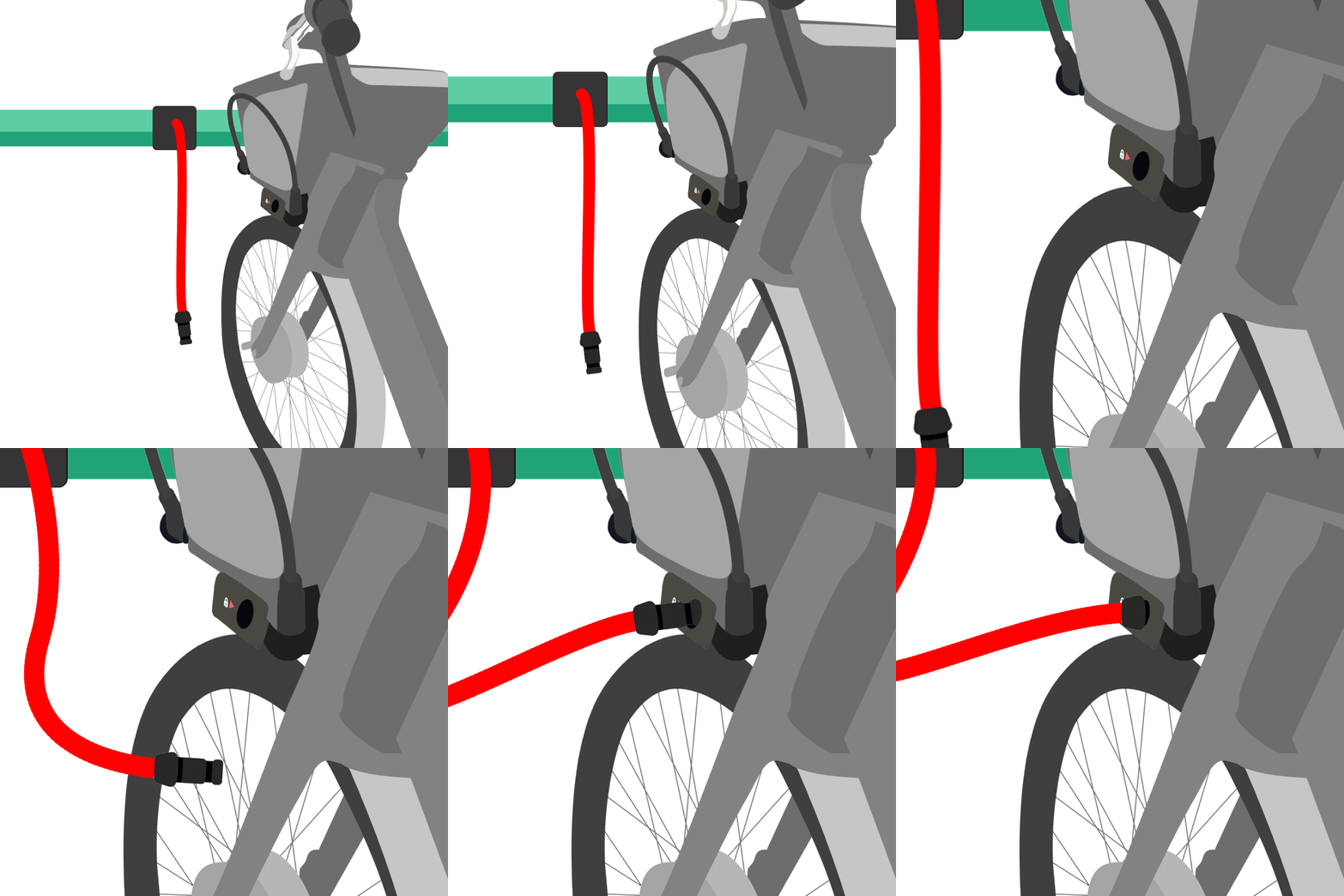
How do I unlock my bike
First ensure the app is connected to your bike. Your app will indicate on the home screen if it is currently connected to a bike. If it is not, first tap the "Scan" button in the app and position the camera over the QR code on your bike. After your app is successfully connected to your bike, tap the "Unlock" button on the app's main screen and the ChargeLock cable will automatically disengage. Pull the cable free from the bike and begin your ride.
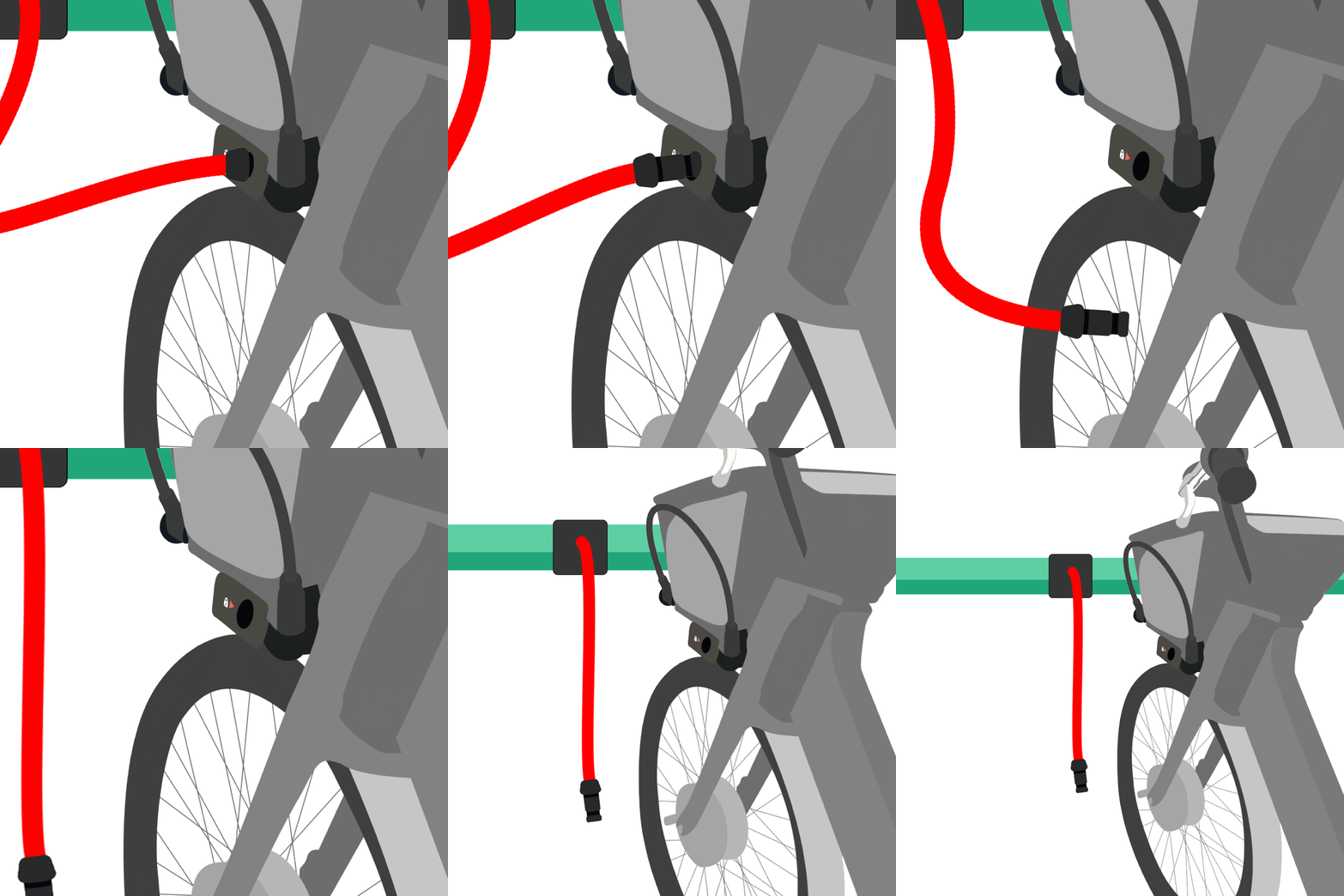
If the bike is away from the charging station and is locked using the on-board cable lock, the process for unlocking is the same. First ensure the app is connected to your bike, then tap the “Unlock” button on the app's main screen. You will hear a "click" and the on-board lock will be automatically disengaged. At this point, pull the cable end out of the locking port to free the bike from the rack, and insert it into the cable holder for storage. Ensure the cable is fully secured in the holder before riding.
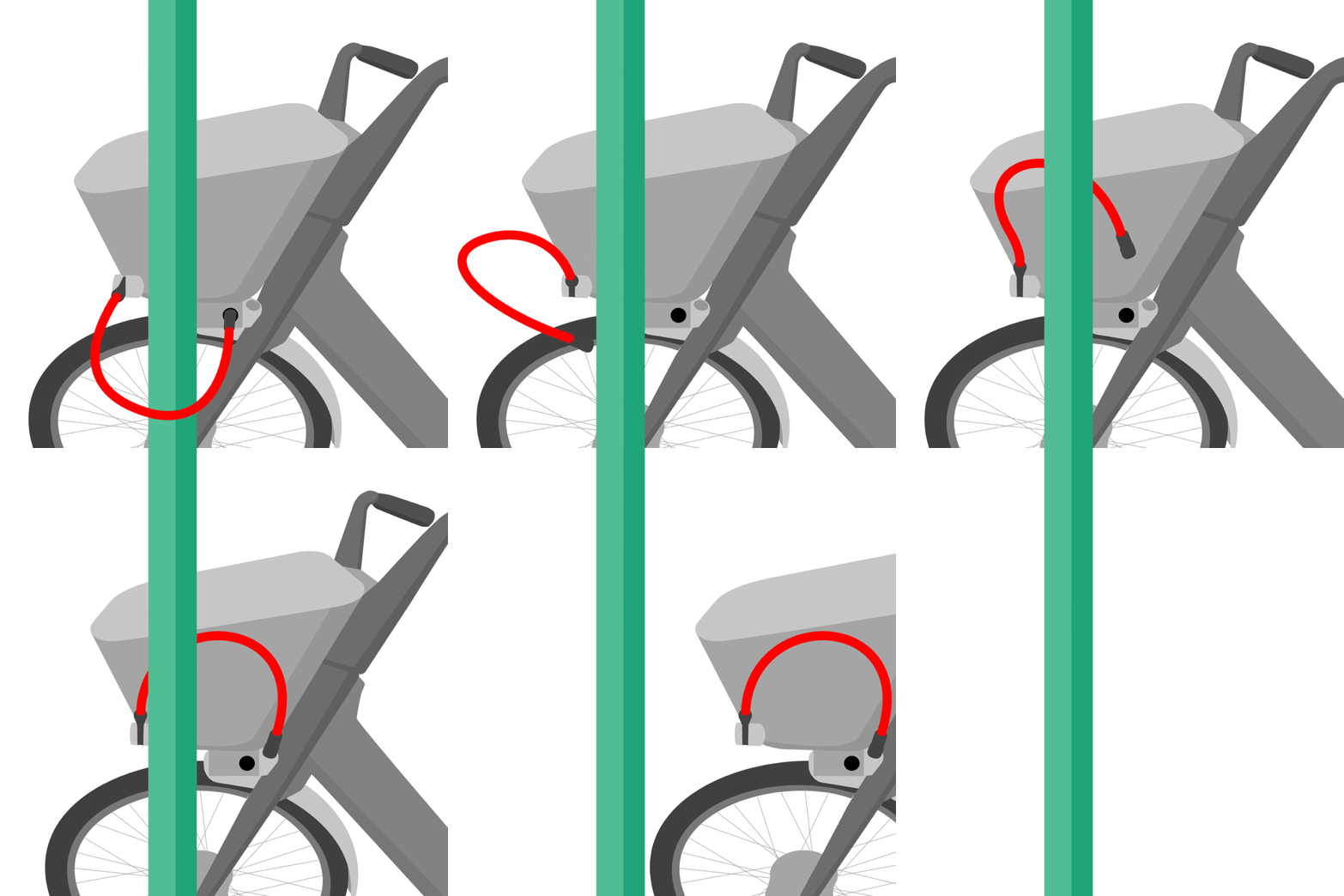
How do I lock my bike when I'm away from the station?
Your e-bike can be locked to any standard bike rack or pole using the on-board locking system. Only you will be able to unlock it again using your phone and app login.First locate a rack or pole and position the bike next to it.
The on-board lock is located on the left side of the bike basket. Pull the cable end out from the cable holder, ensure it is secured around the rack or pole, and insert the end into the lock port.
The on-board lock is located on the left side of the bike basket. Pull the cable end out from the cable holder, ensure it is secured around the rack or pole, and insert the end into the lock port.
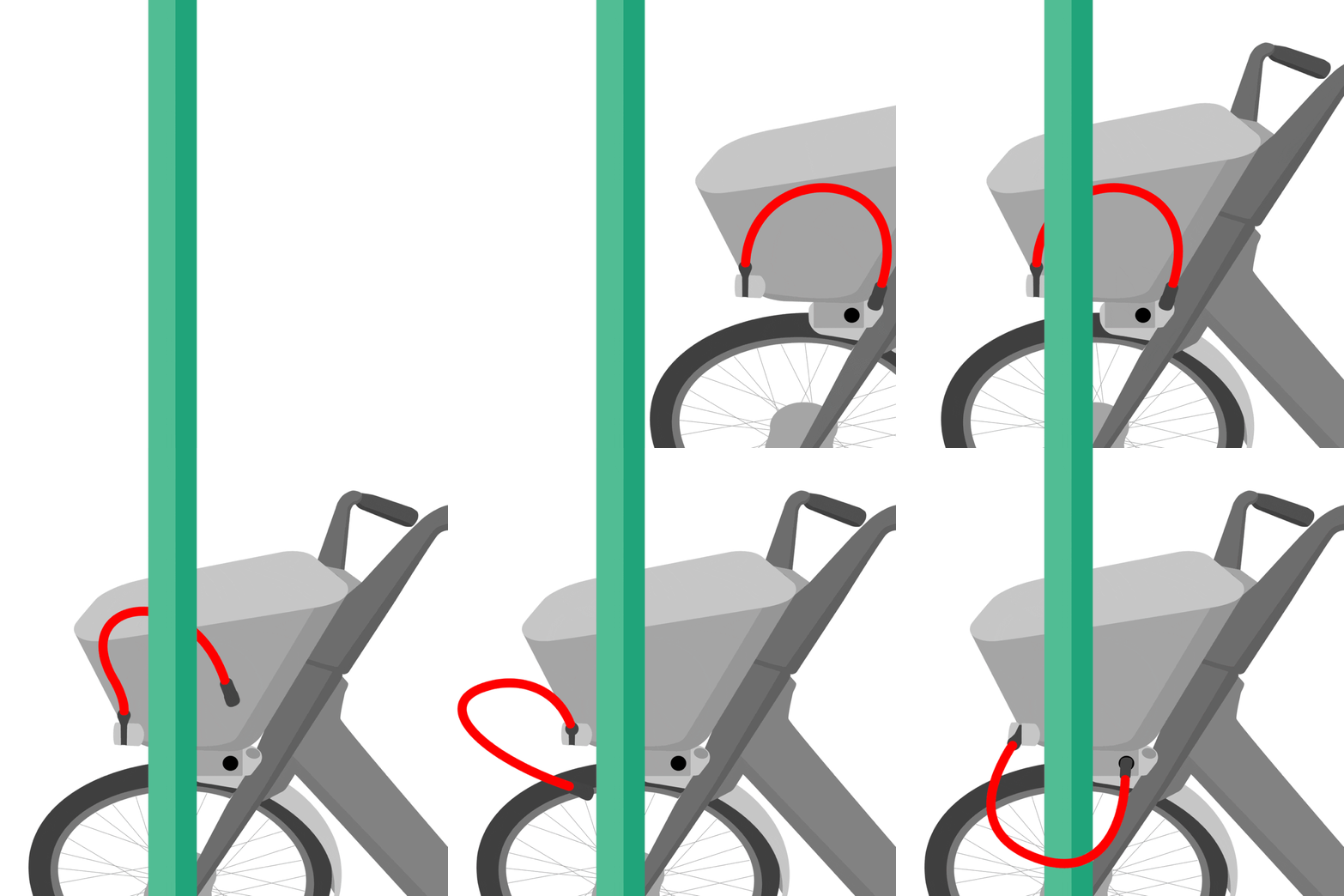
You will feel the cable click into place when it is fully inserted. Give the cable a tug to make sure it is secured, and be sure your bike is not blocking roads or sidewalks when left unattended.
Are the bikes shared? Which bikes can I unlock?
The bikes assigned in this program are not shared. One bike has been assigned to you for your personal use. The ID number of your bike is shown in the sidebar of the app when you are logged in. Only you will be able to unlock this bike using your phone and unique app login. You will not have access to any other bikes on the station,
What if I have a problem with the bike?
If you experience any technical issues with your e-bike, please contact Metro Mobility through the email or phone links below.
I've downloaded the app and logged in, but I do not have a bike assigned to me
The bikes assigned to users of this app are part of a limited pilot program funded by the Massachusetts Clean Energy Center and administered by Metro Mobility. You can learn more about this program and apply to participate at https://www.ebikesforall.org/